
Wuthering Waves: How to Unlink Email Accounts Guide 2025
Manage your Wuthering Waves account efficiently in 2025 by unlinking emails with ease, ensuring security and seamless device transitions through our comprehensive guide.
Managing your Wuthering Waves account has become increasingly important as the game continues to evolve in 2025. Many players find themselves in situations where they need to unlink their email from their Wuthering Waves account, especially those who initially signed up through genshinaccount.com or similar platforms. This comprehensive guide will walk you through the process of unlinking your email from Wuthering Waves accounts.
Why You Might Need to Unlink Your Email
There are several reasons why players might want to unlink their email from Wuthering Waves:
-
Switching to a different email address
-
Account security concerns
-
Transitioning between devices
-
Managing multiple accounts
-
Resolving login issues after using third-party services like genshinaccount.com
Many players have shared their experiences with account management issues. As one player noted, "I may have made an oopsie" when setting up their account, creating both a Google login and a separate Kuro Games account, leading to confusion about how to properly link or unlink these accounts.
Step-by-Step Process to Unlink Email in Wuthering Waves
The process to unlink your email from Wuthering Waves is straightforward but requires careful navigation through the game's settings:
On PC:
-
Launch Wuthering Waves and log into your account
-
Navigate to the Settings menu (usually represented by a gear icon)
-
Scroll all the way down until you find "Account Settings"
-
Click on "User Center" to access account management options
-
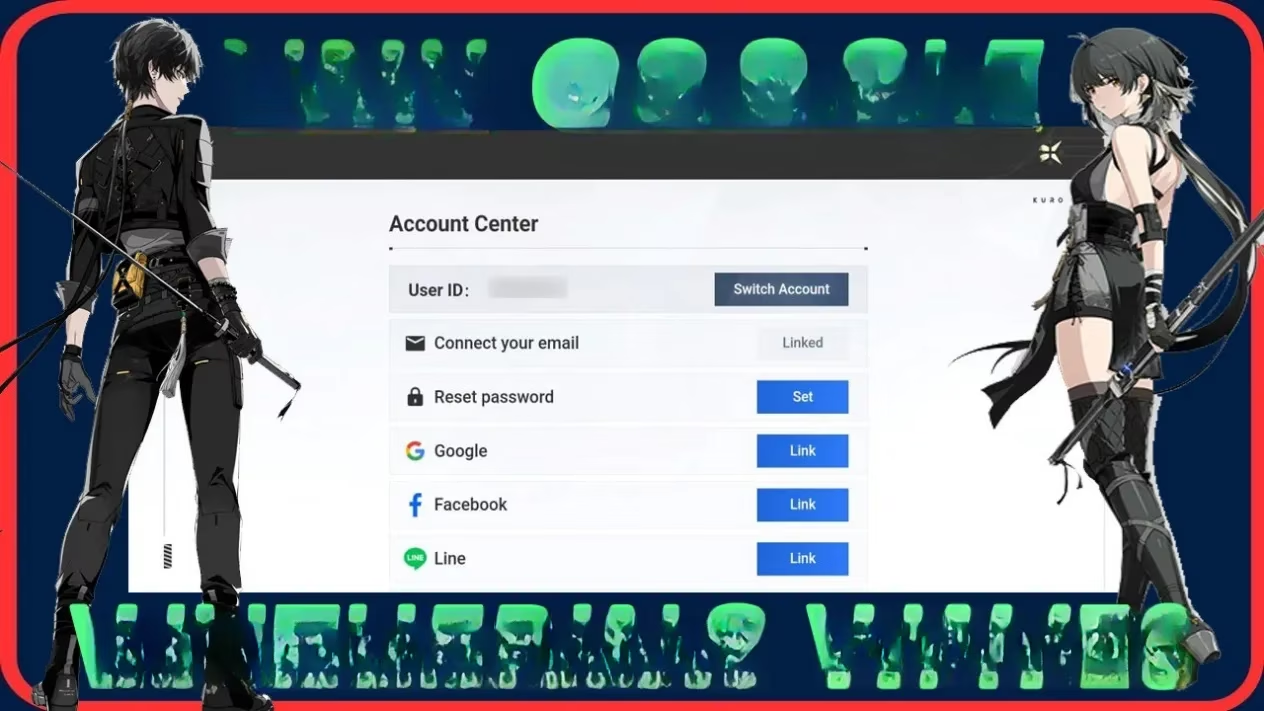
Locate the "Connect your email" option (which handles both connecting and disconnecting emails)
-
Follow the on-screen prompts to unlink your current email
On Mobile (iPhone/Android):
The process on mobile devices follows a similar path:
-
Open Wuthering Waves on your mobile device
-
Tap on the Settings icon
-
Scroll down to find "Account Settings"
-
Tap on "User Center"
-
Find the email connection options
-
Follow the instructions to unlink your email
Common Issues When Unlinking Emails from Wuthering Waves
Players frequently encounter several challenges when attempting to unlink their email from Wuthering Waves, especially when their accounts are connected to platforms like genshinaccount.com:
Multiple Account Confusion
One player shared their experience: "I made a Google login to play Wuthering Waves and also made a Kuro Games account on their site thinking I could connect them. Now when I go to User Center, there is an option to connect my email (Kuro Games account), but it says to create a new account and I already created one on their site."
This situation highlights a common confusion between different login methods including:
-
Google account login
-
Apple ID login
-
Facebook login
-
Direct Kuro Games email login
Account Syncing Concerns
Players often wonder: "What if I login with my Kuro Games account and connect my Google account (which has the progress), does it sync?"
The answer is that in 2025, Wuthering Waves has improved its account syncing capabilities, but you should always be cautious when linking or unlinking accounts to avoid progress loss.
Best Practices for Account Management
When managing your Wuthering Waves account and dealing with email unlinking:
-
Create backup access methods before unlinking your primary email
-
Document your account information including creation date and linked services
-
Contact support directly for complex account issues that can't be resolved through settings
-
Be cautious with third-party services like genshinaccount.com that offer account management
Copyright and Account Protection
It's worth noting that when using services related to Wuthering Waves or platforms like genshinaccount.com, you should be aware of copyright policies. Legitimate services will have clear terms regarding account ownership and data protection.
If you encounter issues with unauthorized account access or believe your copyright has been infringed, services typically have designated channels for reporting these problems, such as contacting [email protected] for account-related concerns.
Conclusion
Unlinking your email from Wuthering Waves in 2025 is a straightforward process when you follow the steps outlined above. Whether you initially created your account through genshinaccount.com or directly through the game, the User Center within the game's settings provides the tools you need to manage your account connections.
Remember that account security should always be your priority, so ensure you have alternative access methods set up before unlinking your email. If you encounter persistent issues, don't hesitate to contact Wuthering Waves' customer support for assistance with your specific situation.
Comments