
Mastering Wuthering Waves: Ultimate Settings Guide for Maximum FPS Performance
Master Wuthering Waves with optimized PC settings for maximum FPS, transforming stunning visuals into smooth, immersive gameplay experience.
Mastering Wuthering Waves: Ultimate Settings Guide for Maximum FPS Performance

I remember the day Wuthering Waves launched across PC and mobile platforms—the anticipation was palpable, yet so many of us encountered performance hurdles that threatened to diminish the magic of this beautifully crafted world. As a dedicated player who has journeyed through Rover's adventures, I've learned that while the game itself bears some responsibility for these challenges, we hold the power to significantly enhance our experience through careful configuration. This guide is my poetic exploration of how to achieve buttery-smooth performance, transforming stuttering frames into a seamless dance of combat and exploration.
🌟 The Heart of the Matter: Why Performance Matters
Wuthering Waves captivates with its breathtaking open world, intricately designed characters, and—most importantly—a combat system that flows like water. Each dodge, each strike, each special move is a note in a symphony of action. When FPS drops disrupt this rhythm, the entire experience suffers. It's like trying to recite poetry with a stutter; the beauty remains, but the delivery falters. On PC, where visual fidelity reaches its peak, the struggle becomes even more pronounced. Even with top-tier hardware, the game's current optimization means we must make strategic sacrifices to maintain fluidity.
⚙️ PC Optimization: Crafting the Perfect Balance
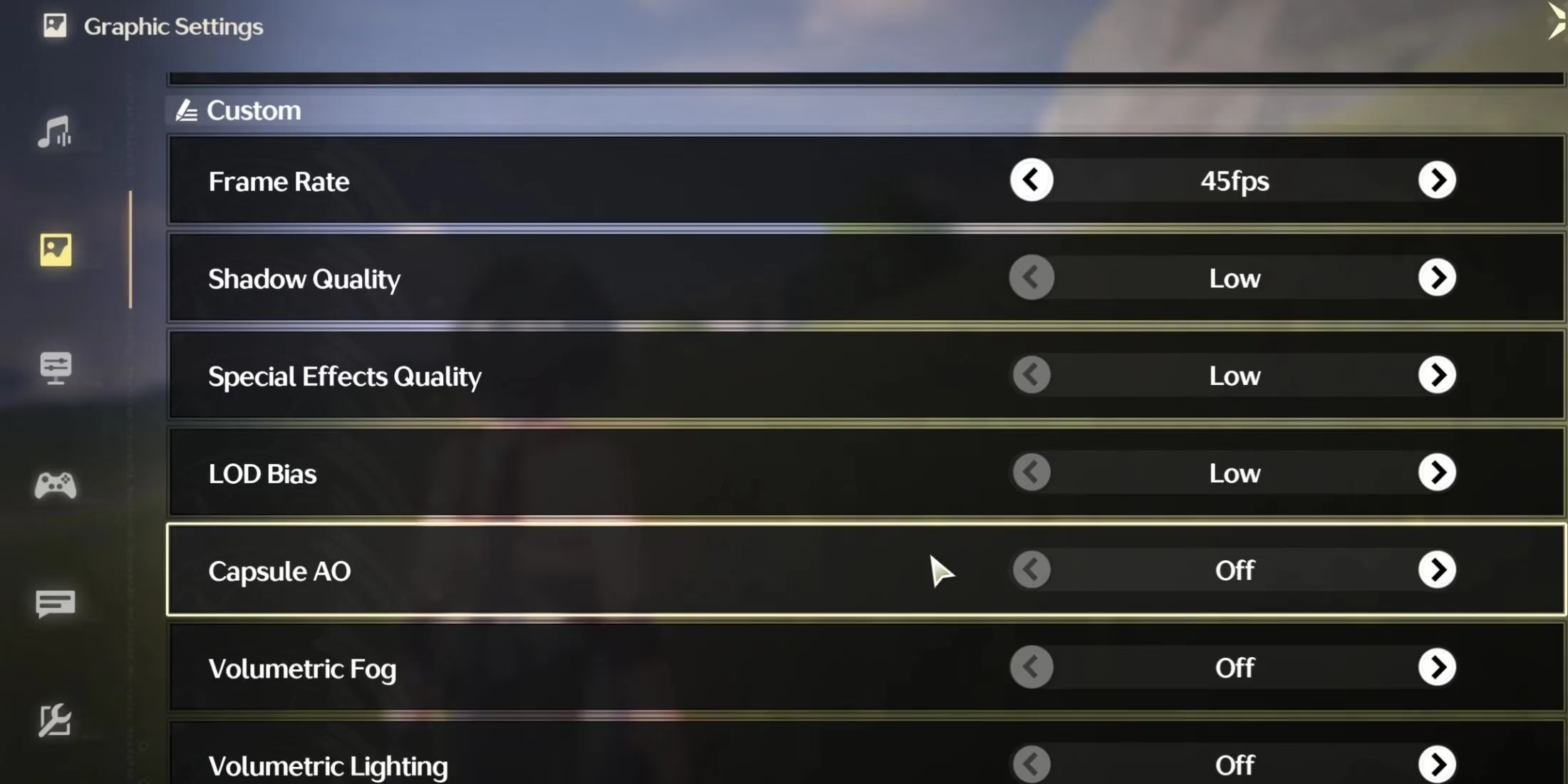
On my desktop rig, I've experimented endlessly to find the sweet spot between visual splendor and performance. The key is understanding that not all settings are created equal. Here's the configuration that has served me best:
Essential PC Settings for Maximum FPS:
-
Graphics Quality: Low – This foundational setting reduces overall load significantly
-
Screen Mode: Full Screen – Maximizes resource allocation to the game
-
Resolution: Your monitor's native resolution – Maintains clarity while other settings adjust
-
Frame Rate: 60fps (45fps if experiencing drops) – The 120fps mode awaits future updates
-
Shadow Quality: Low – Shadows are resource-intensive but less critical to gameplay
-
Special Effects Quality: Low – Maintains combat clarity without excessive GPU strain
-
FSR: On – AMD's upscaling technology works wonders for performance
-
LOD Bias: Low – Reduces detail on distant objects
Settings to Disable for Optimal Performance:
-
Capsule AO: Off – Ambient occlusion can be particularly demanding
-
Volumetric Fog: Off – Atmospheric effects that cost precious frames
-
Volumetric Lighting: Off – Another visually appealing but costly option
-
Motion Blur: Off – Personally, I find this improves visual clarity during fast combat
-
Anti-Aliasing: Off – While it smooths edges, the performance hit isn't worth it
-
V-Sync: Off – Reduces input lag, though screen tearing may occur
📱 Mobile Mastery: Finding Fluidity on the Go
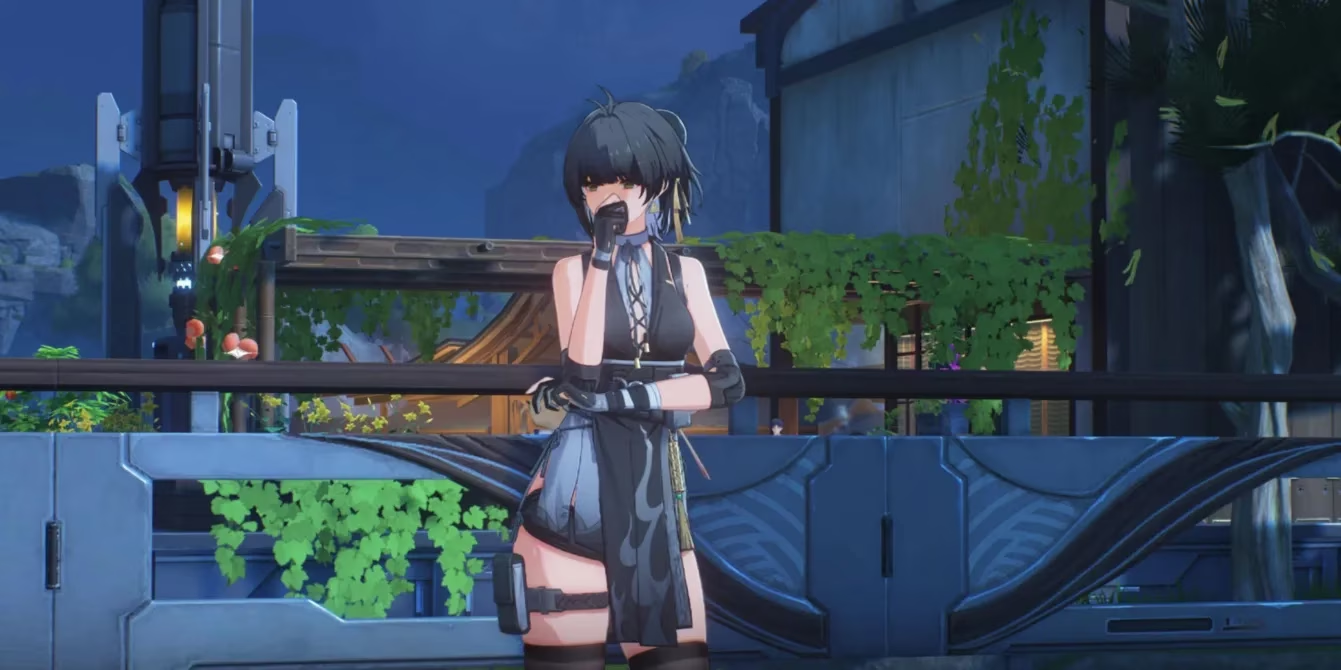
The mobile version of Wuthering Waves offers incredible freedom—the ability to continue my adventures anywhere, anytime. However, the performance landscape differs dramatically from PC. The visual splendor is necessarily scaled back, but with careful tuning, the core experience remains magical. Here's how I've optimized my mobile sessions:
Mobile Configuration for Smooth Gameplay:
-
Resolution: Low – Sharpness takes a backseat to consistent performance
-
Frame Rate: 60fps – The maximum currently available on mobile
-
Shadow Quality: Low – Mobile GPUs struggle particularly with shadows
-
Special Effects Quality: Low – Keeps combat readable without overwhelming the device
-
FSR: Off – Mobile implementation isn't as effective as on PC
-
LOD Bias: Medium – A balance between performance and visual coherence
-
Anti-Aliasing: On – Surprisingly, this helps with mobile visual stability
🌌 The Art of Sacrifice: What We Gain by Letting Go
In my journey through Wuthering Waves, I've come to see these performance adjustments not as compromises, but as artistic choices. By lowering certain visual elements, I've actually enhanced my connection to the game's core mechanics. The combat becomes more responsive, the exploration more immersive when technical hiccups no longer interrupt the flow. It's like cleaning a window—by removing the smudges of performance issues, the beautiful view beyond becomes crystal clear.
🔮 Looking to the Future: The Promise of Optimization
As we move through 2025, I remain hopeful that future updates will bring the promised 120fps mode and better inherent optimization. The developers have shown commitment to improving the experience, and each patch brings subtle refinements. For now, these settings represent the current pinnacle of what's possible—a carefully calibrated balance that honors both the game's artistic vision and our practical need for smooth performance.
In the end, optimizing Wuthering Waves is itself a kind of gameplay—a meta-challenge where we learn to read the subtle language of hardware and software, creating our own perfect version of this already magnificent world. The frames may be fewer, but the experience becomes richer, more personal, and ultimately more rewarding.
Comments